
Kotlin 入門レベル1 暗号化・復号化
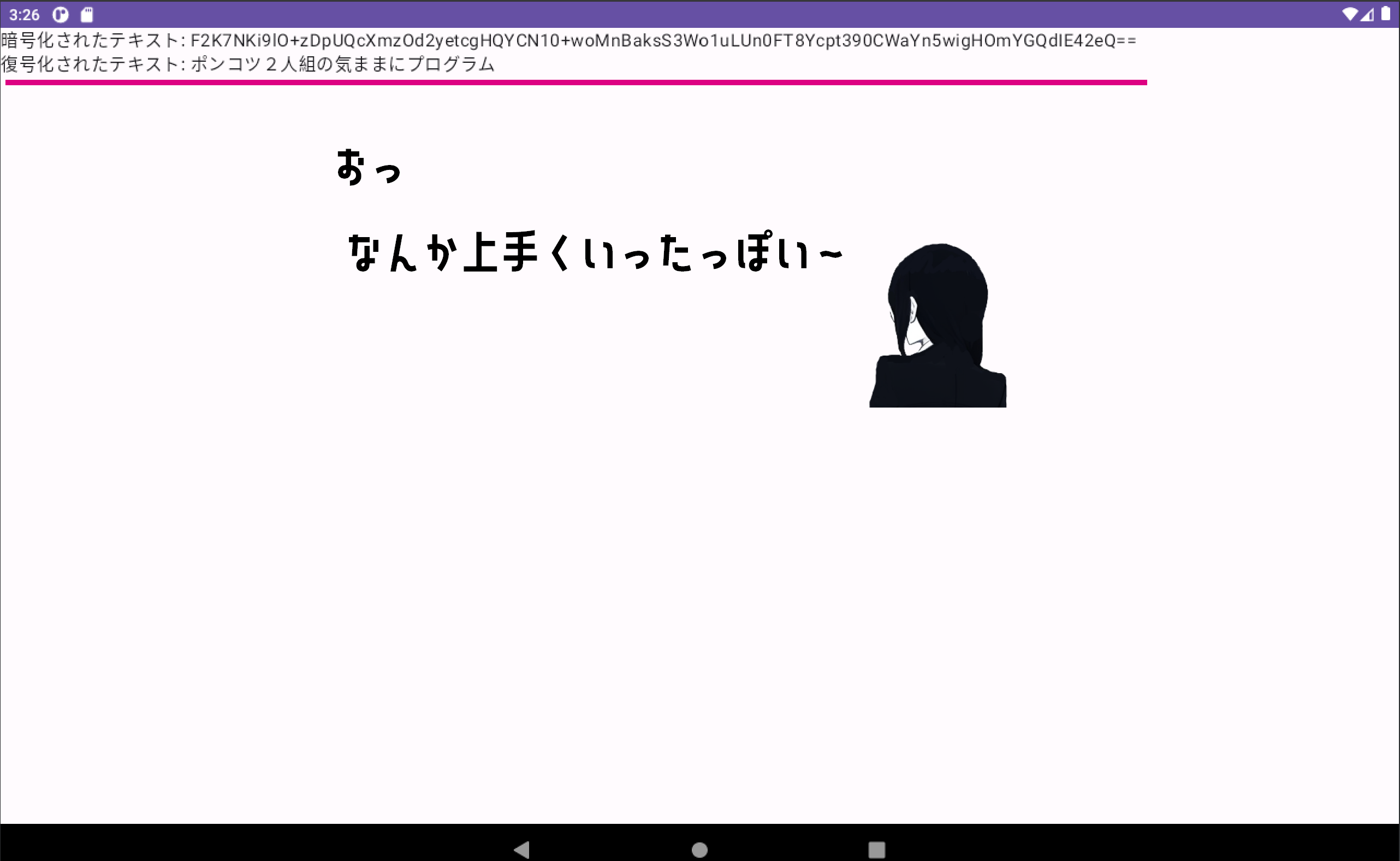
AES暗号化アルゴリズムを使用して文字列を暗号化および復号化するための基本的な方法を解説します。 今回はAndroidアプリケーションにしてあります。アプリケーションを起動すると暗号化・復号化の結果が表示されます。
※この記事は2023/06/18時点の情報です。
下記のコードは、AES暗号化アルゴリズムを使用して文字列を暗号化および復号化するための基本的な方法を示しています。 暗号化・復号化に用いるキーは16バイトである必要があります。テキストはBase64エンコードされています。
package com.sample.sample

import android.os.Bundle
import androidx.activity.ComponentActivity
import androidx.activity.compose.setContent
import androidx.compose.foundation.layout.Column
import androidx.compose.foundation.layout.fillMaxSize
import androidx.compose.material3.MaterialTheme
import androidx.compose.material3.Surface
import androidx.compose.material3.Text
import androidx.compose.runtime.Composable
import androidx.compose.ui.Modifier
import androidx.compose.ui.tooling.preview.Preview
import com.sample.sample.ui.theme.SampleTheme
//暗号化・復号化で使用
import javax.crypto.Cipher
import javax.crypto.spec.IvParameterSpec
import javax.crypto.spec.SecretKeySpec
import java.nio.charset.StandardCharsets
import java.util.Base64

class MainActivity : ComponentActivity() {
    override fun onCreate(savedInstanceState: Bundle?) {
        super.onCreate(savedInstanceState)
        setContent {
            SampleTheme {
                // A surface container using the 'background' color from the theme
                Surface(
                    modifier = Modifier.fillMaxSize(),
                    color = MaterialTheme.colorScheme.background
                ) {
                    //暗号化・復号化のサンプル
                    Sample("ポンコツ2人組の気ままにプログラム")
                }
            }
        }
    }
}

/*
 * 暗号化・復号化のサンプル
 */
@Composable
fun Sample(plainText: String, modifier: Modifier = Modifier) {
    //暗号化・復号化に用いるキー:16バイト
    val key = "0123456789123456"
    //暗号化
    val encryptedText = encrypt(plainText, key)
    //復号化
    val decryptedText = decrypt(encryptedText, key)
    //結果を表示
    Column {
        Text(text = "暗号化されたテキスト: $encryptedText", modifier = modifier)
        Text(text = "復号化されたテキスト: $decryptedText", modifier = modifier)
    }
}

/*
 * 暗号化
 */
fun encrypt(plainText: String, key: String): String {
    val cipher = Cipher.getInstance("AES/CBC/PKCS5Padding")
    val secretKeySpec = SecretKeySpec(key.toByteArray(StandardCharsets.UTF_8), "AES")
    val iv = ByteArray(cipher.blockSize)
    val ivParameterSpec = IvParameterSpec(iv)
    cipher.init(Cipher.ENCRYPT_MODE, secretKeySpec, ivParameterSpec)
    val cipherText = cipher.doFinal(plainText.toByteArray(StandardCharsets.UTF_8))
    return Base64.getEncoder().encodeToString(cipherText)
}

/*
 * 復号化
 */
fun decrypt(cipherText: String, key: String): String {
    val cipher = Cipher.getInstance("AES/CBC/PKCS5Padding")
    val secretKeySpec = SecretKeySpec(key.toByteArray(StandardCharsets.UTF_8), "AES")
    val iv = ByteArray(cipher.blockSize)
    val ivParameterSpec = IvParameterSpec(iv)
    cipher.init(Cipher.DECRYPT_MODE, secretKeySpec, ivParameterSpec)
    val decryptedText = cipher.doFinal(Base64.getDecoder().decode(cipherText))
    return String(decryptedText, StandardCharsets.UTF_8)
}

@Preview(showBackground = true)
@Composable
fun GreetingPreview() {
    SampleTheme {
        Sample("ポンコツ2人組の気ままにプログラム")
    }
}
処理結果は次の通りです。
ここまでKotlinでAES暗号化・復号化する方法をサンプルソースで見てきましたが理解できましたか?

暗号化・復号化の処理を頻繁に使用することはないと思いますが、たまに使用する機会があったりするので覚えておきましょう。